Factory reset
Note
Although most Gateways have an internal reset button, it’s much easier to reset the device by flashing the firmware again via USB.
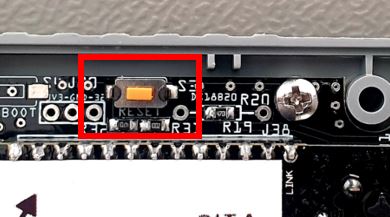
You can perform a factory reset by pressing the button inside the S32, S3 and all E32 Gateway models for 10 seconds. If you have an old Premium II with the latest ESP8266 firmware 2.2.2b0 you can use a metal pin to shortcut pins D3 to D2 on the Wemos for 10 seconds.
If the above methods do not work, you have to upload the firmware again. See: HERE.
Where can I find the button?
Gateway E32 V2.2
All versions of the E32 V2.2 have a reset feature on the bottom side. You do not need to open the case.
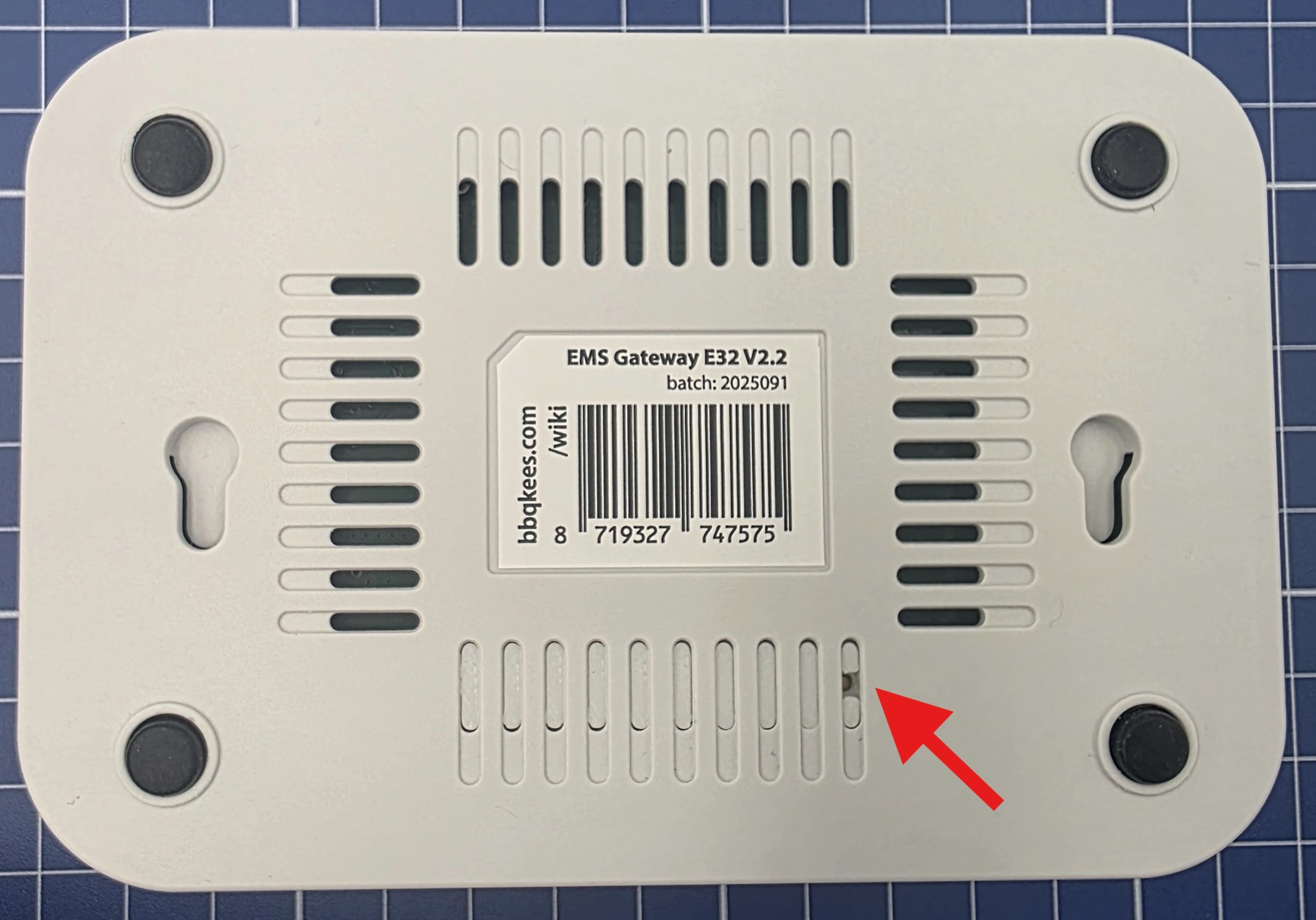
The latest EMS Gateway E32 V2 with V2.2 circuit board have a pinhole on the bottom. You can use a pin (f.i. those for SIM slots) to press the button underneath.
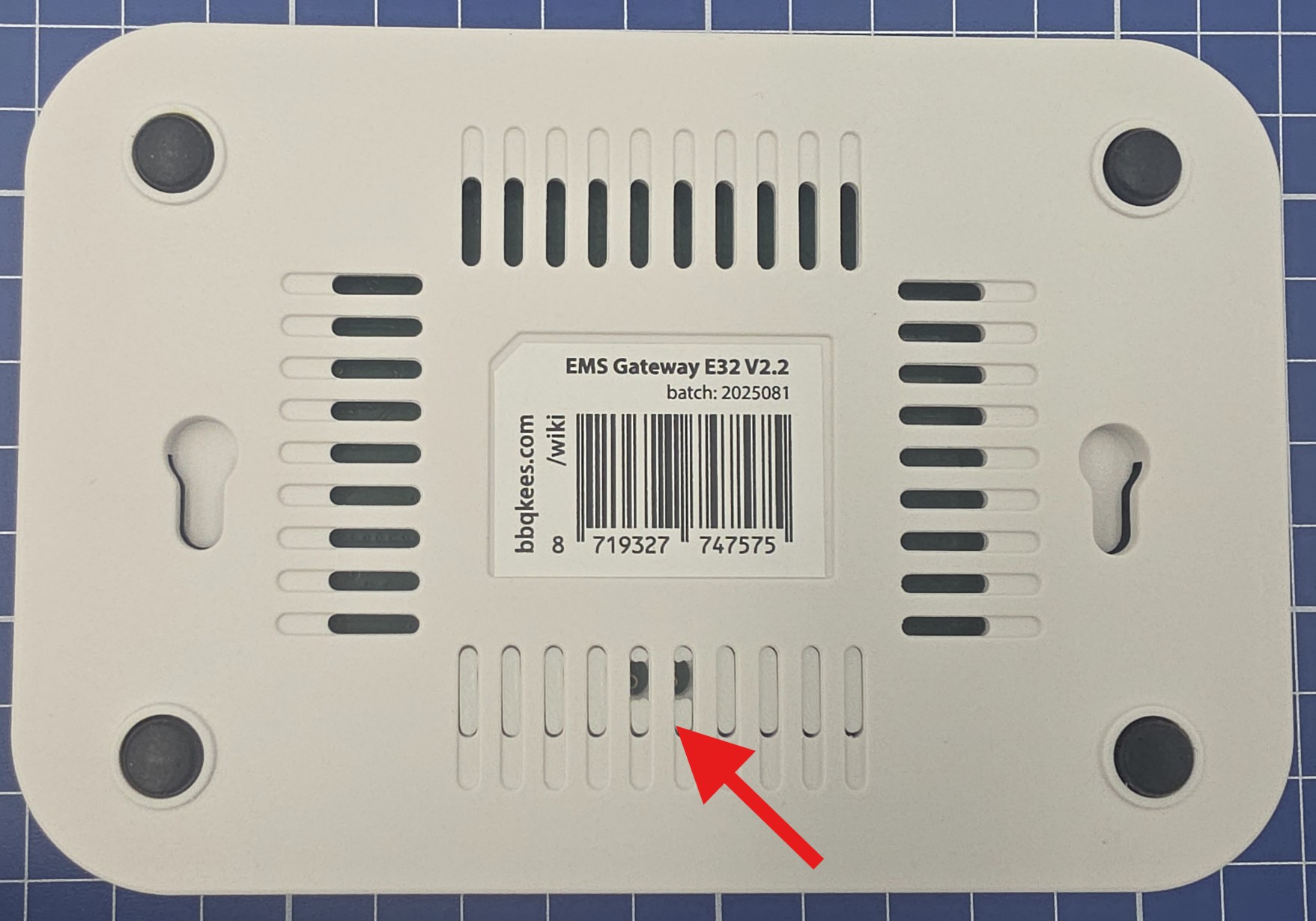
Earlier batches marked E32 V2.2 will have two holes on the bottom which you can shortcut with a wire.
Gateway E32 V2
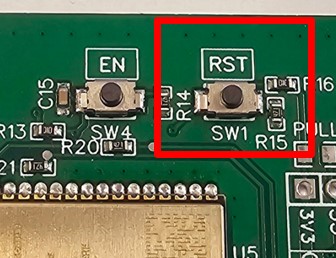
On some later batches there are two holes on the bottom which you can shortcut with a wire (see image above). In all other cases, there is a small button on the top of the circuit board near the Espressif module called ‘RST’. If you press it for 10 seconds, you device will restart and reset all settings to factory default. The Gateway needs to be connected to power (EMS service jack, USB-C or 12V DC power supply) in order for the reset to work.
If you don’t want to open the enclosure, just flash the firmware again via the USB-C connector.
Note
If the firmware bricked up, or the board profile is set incorrectly, pressing the button won’t do anything as it is a software reset. Also the E32 V2 is not really designed to be opened by the customer. It’s always better to flash the firmware again via USB. This will solve 99% of the errors.
Gateway S3 and S3-LR
There is a small button on the circuit board called ‘RST’. If you press it for 10 seconds, you device will restart and reset all settings to factory default. The Gateway needs to be connected to power (EMS service jack, USB-C or 12V DC power supply) in order for the reset to work.
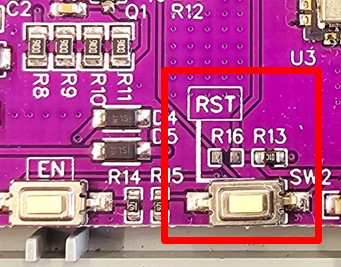
If you don’t want to open the enclosure, just flash the firmware again via the USB-C connector.
Gateway S32 V2.0
There is a small button on the circuit board called ‘RST’. If you press it for 10 seconds, you device will restart and reset all settings to factory default. The Gateway needs to be connected to power (EMS service jack or 12V DC power supply) in order for the reset to work.
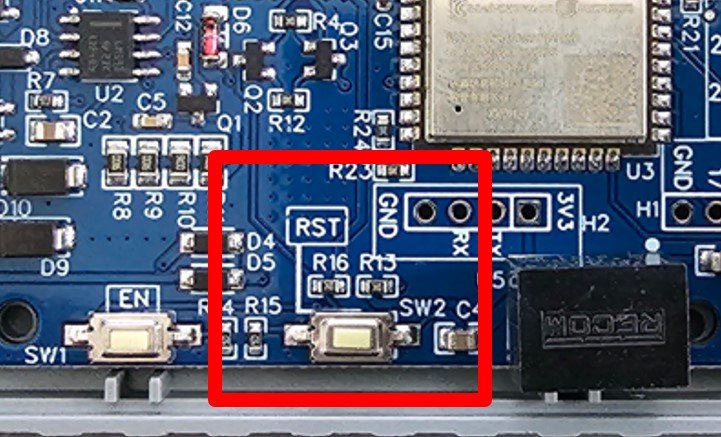
Gateway S32 V1.0
There is a small button right next to the USB connector called ‘IO0’. If you press it for 10 seconds, you device will restart and reset all settings to factory default. The Gateway needs to be connected to power (EMS service jack, Micro USB or 12V DC power supply) in order for the reset to work.
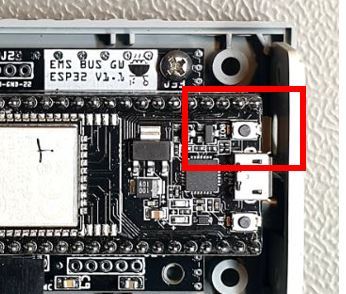
Gateway E32
There is a button on the board called ‘reset’ or ‘button’. If you press it for 10 seconds, you device will restart and reset all settings to factory default. The Gateway needs to be connected to power (EMS service jack or 12V DC power supply) in order for the reset to work.