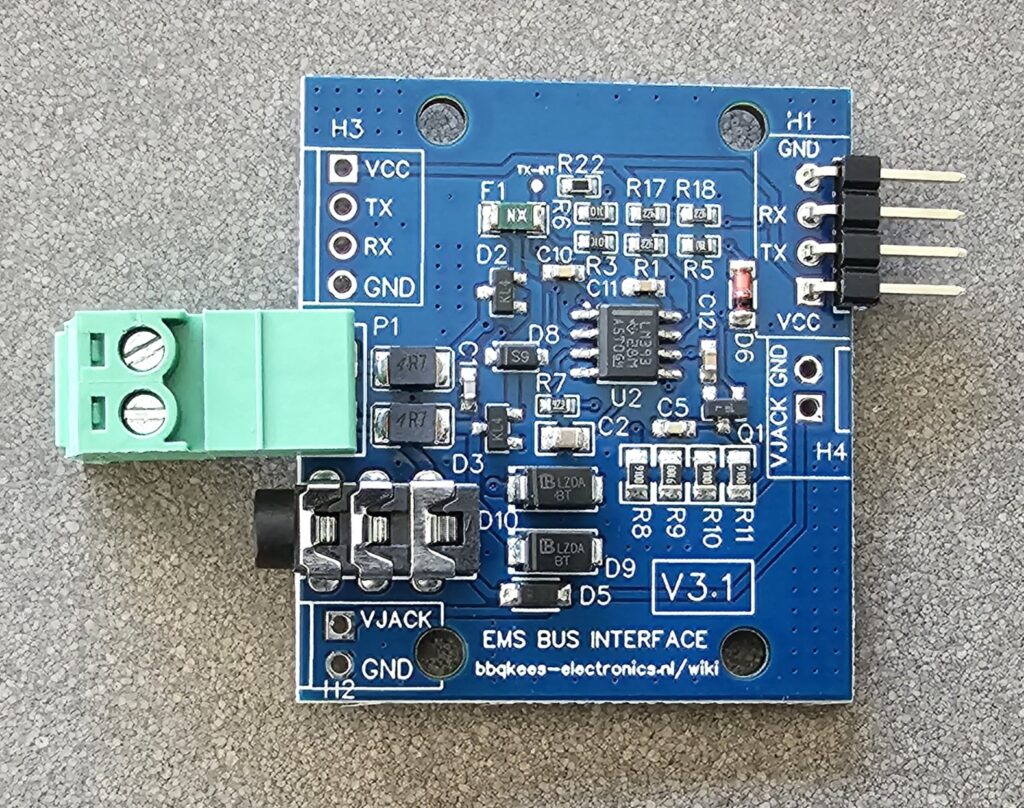
The EMS interface board V3 has allowed many people to connect their boiler to a microcontroller. All connectors on the V3 are on the left side. However, some people want to make a 3D printed enclosure for this board and then it is more convenient to have the UART connector on the other side.
I now made a new revision of this board (V3.1) which has the UART connector on the right side. It still has the holes on the left side as well, but the connector is only soldered on the right side.
If you need the connector on the left side you can solder one yourself.
Firmware EMS-ESP 3.5.0 has been available as a beta for quite some time and it had already been loaded on new Gateways since October 2022, the release version of 3.5.0 (stable) is now available as well. Thanks to a lot of work by Proddy and MichaelDvP and assisted by a number of other contributors, this is one of the most feature rich updates yet.
— Remember the firmware is completely open source —
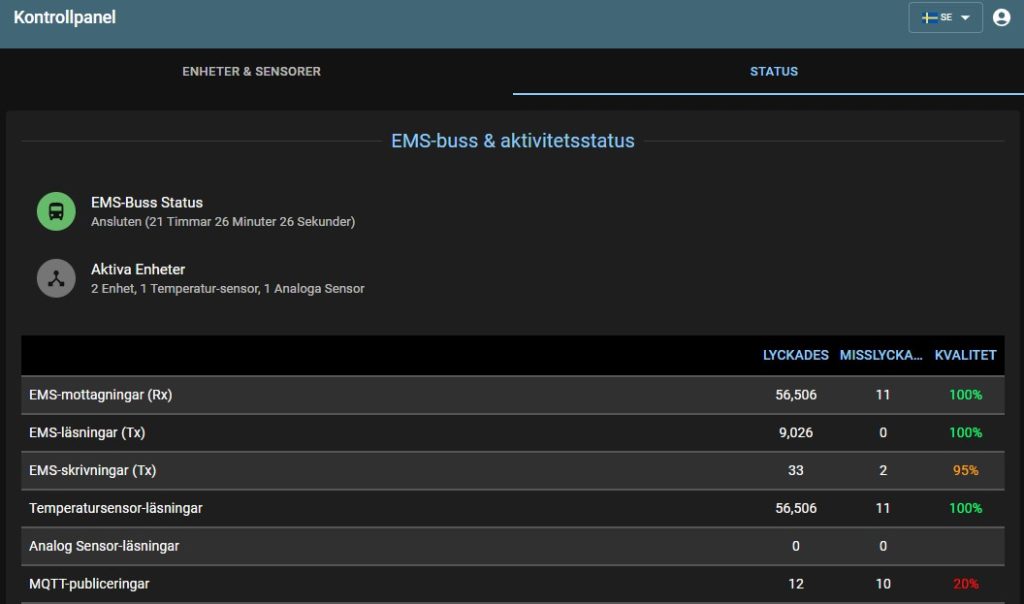
The the most noticeable new feature is going to be the addition of localization. This means you can now change the language from English to other languages. The release of 3.5.0 will contain English, German, Dutch, Polish, French, Swedish and Norwegian language.
Swedish interfaceGerman interface
This localization is in all major parts of EMS-ESP: the web interface and MQTT.
There are however some breaking changes. The most important one is that there is now support for multiple Gateways on a single MQTT broker. When enabled, which is now the default, all MQTT Discovery Entity IDs will include the MQTT base name and the shortname of the EMS-ESP device entity. For example what was previously sensor.boiler_actual_boiler_temperature will now become sensor.ems_esp_boiler_boiltemp. This means these entities will have to be replaced inside HA. See below. If you still want to use the old format and retain the history and script compatibility in Home Assistant then set this back to the old format.
New features and updates
Summary of new stuff:
Localization: addition of German, Dutch, Polish, Swedish, French and Norwegian language options.
Support for multiple Gateways on the same broker (for hybrid systems and for multiple boilers/cascade)
100+ bug fixes and new features
Added initial support for ESP32 C3 and S2 architectures
Several new board profiles
Improvements in HA Discovery and MQTT handling
Addition of new EMS boilers, thermostats and other devices (Greenstar 30, GBH192iT, FW500, BC30)
Addition of additional parameters of known EMS devices (f.i. RC30 internal temp, 20+ heat pump parameters)
Improved handling of logic/telegrams of some EMS devices
Setting the 4 multi-purpose relays/inputs of heatpumps (via API)
To update to the release version of 3.5.0 depends on which firmware you are on now, and when you purchased a Gateway product. In most cases you should first try out an update via the web interface. If it succeeds, you are on 3.5.0. If it fails you need to flash the Gateway via the internal USB connection on the Gateway board.
Read the instructions below for the correct update procedure for your situation.
If you are currently on any 3.3 or older version you need to use the USB method anyway. If you are currently on any 3.4 or 3.5 version first try the update via the web interface and if it fails update via the USB port.
The upload will take about a minute. If the Gateway has installed the firmware and rebooted itself, you should see the login screen again after a while. Press F5 to clear the browser cache. Then login. Settings should be pertained.
In case you get an error 500 during the upload, you need to move on to method two below.
In case you have an E32 Gateway and it became unreachable after the update, the board profile might have been reset to S32 or Custom. Please login to the ems-esp access point, set the board profile back to E32, save, and reboot. Ethernet will be activated again.
Method two: Update via the USB port
If a lot of cases you need to upload this firmware via the USB port on the inside of the Gateway. It is the only time this is needed, if 3.5.0 is installed once, all future updates can be done via the web interface.
You need to open the Gateway, plug in the USB to a computer and load the firmware via the EMS-ESP flash tool. DO NOT use another flash tool as it will not work. All settings will be lost after this update, so make a note of all important ones. (You can also backup your settings and customizations before the update and load them once the update is done).
If you have questions about the update you can send me an email via the contact form.
Breaking change: MQTT entity ID’s
For a number of entities in Home Assistant the unique ID has changed in the auto discovery config . This means these entities will have to be replaced inside HA. This is because there is now support for multiple Gateways on a single MQTT broker. When enabled, which is now the default, all MQTT Discovery Entity IDs will include the MQTT base name and the shortname of the EMS-ESP device entity. For example what was previously sensor.boiler_actual_boiler_temperature will now become sensor.ems_esp_boiler_boiltemp. This means these entities will have to be replaced inside HA. See below. If you still want to use the old format and retain the history and script compatibility in Home Assistant then set this back to the old format. There is a new checkbox in the Settings to keep the ID as in firmware 3.4 for those who do not want to switch now.
After the update to 3.5.0 it is possible that sometimes during loading or viewing of the web interface you’ll get an Error 507. This is because the new web interface needs a fairly large chunk of memory, which is not always available. You get this error 507 then. All other services on the Gateway will continue to work. See: https://github.com/emsesp/EMS-ESP32/issues/823
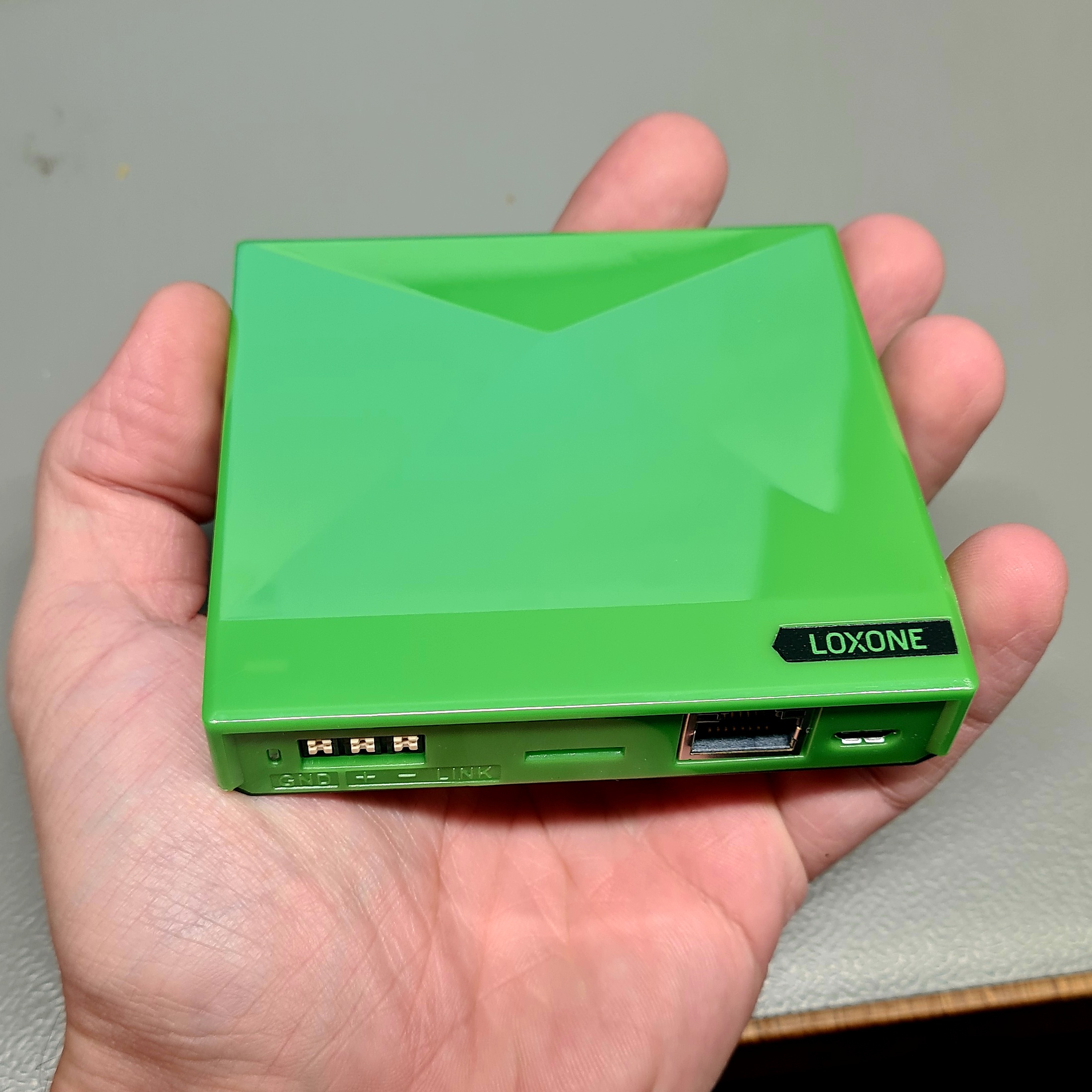
Lately I’m getting more questions about the integration of the EMS Gateway with Loxone. Currently you need to use the Rest API with HTTP GET and POST to communicate between the two.
I decided to register as a Loxone installer and purchased a nice Loxone Miniserver Go myself to learn about the system. The Miniserver has arrived this week.
In the coming time I’m going to set it up, see what the fuzz is all about and then I’ll create a good integration guide for Loxone. This thing really is Mini
Firmware 3.4.2 and 3.4.3 have a small bug. If they are flashed on a new Gateway or other ESP32, settings are not stored. This means when you set up the device, after reboot it loses all settings. If you update from a previous version via the web interface this problem does not occur. Gateways with this issue shipped in the past few weeks can be updated via the web interface to version 3.5.0 and then it will work.
If you get an error 500/server error when you load the 3.5.0 firmware via the web interface, you need to use the USB connection inside the Gateway to flash firmware 3.5.0.


 Lately I’m getting more questions about the integration of the EMS Gateway with Loxone.